
Every few months my Mac runs out of space and I open a cleaner to find out why. Last week I looked at what that cleaner had installed to do it: a helper that runs as root all the time, a menu bar agent, a health monitor and a Finder extension. Four things running in the background, for an app I open a few times a year.
Most of what these apps do is not complicated. Caches are folders. An uninstaller is a list of places where apps leave things behind. Memory and CPU figures come straight from the kernel. The part that is hard to trust is everything happening in the background, with permissions you granted once and forgot.
So I wrote Messy. It finds the mess, and a small broom sweeps it up. It does what the big cleaners do, in one native window, with no helper running as root. Everything it removes goes to the Trash first, and it does not touch the network unless you press a button that says it will.
What it does
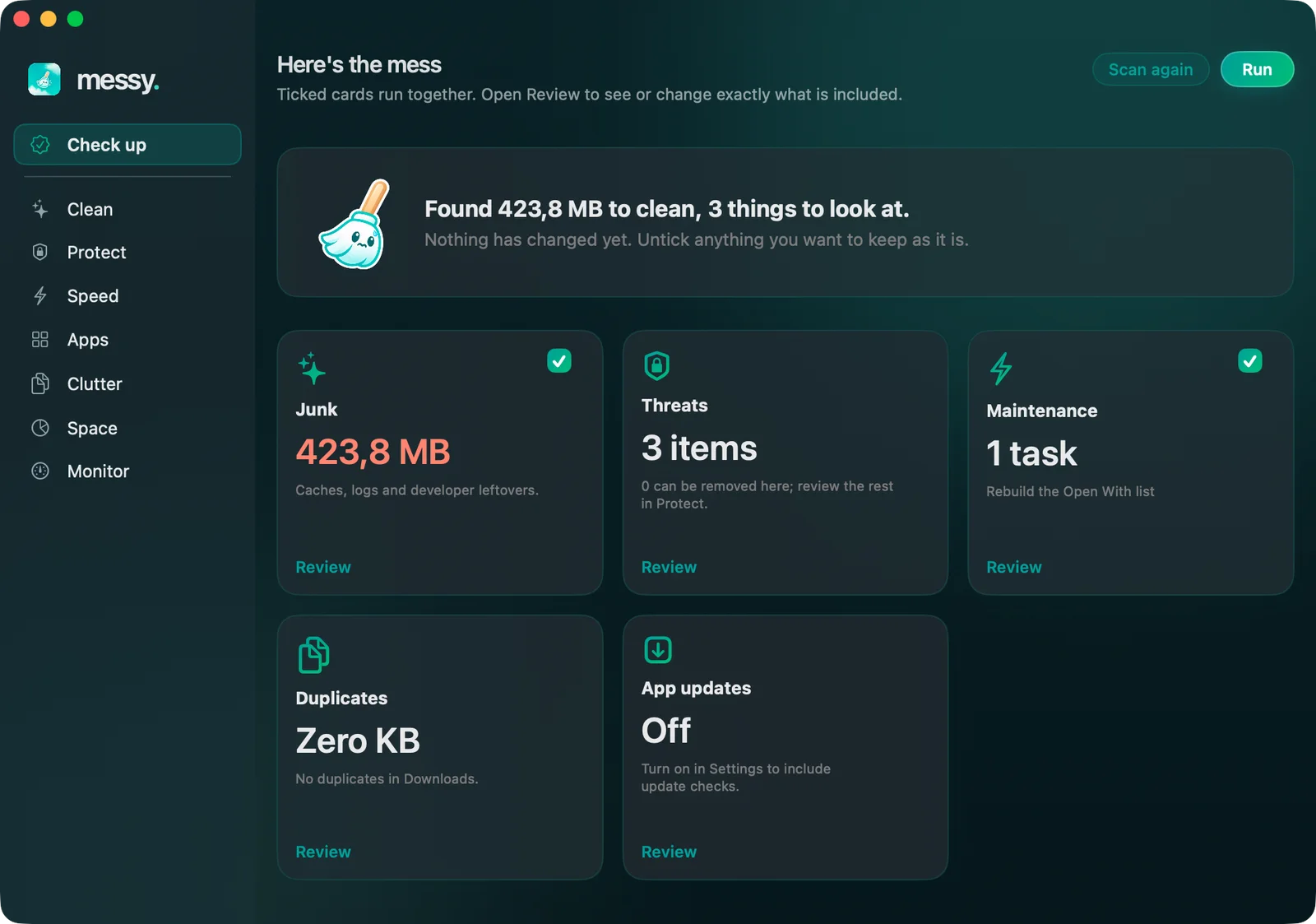
- Check up. One button looks for junk, threats, maintenance that is due and duplicate files in Downloads, all at once. The results come back as cards. Nothing changes until you have looked at them and pressed Run, and anything you untick stays as it is.
- Clean. App caches, logs, developer leftovers (Xcode, npm, bun, cargo, Gradle), Mail attachments and old installers in Downloads. You see every folder and its size before anything moves.
-
Protect. Checks the places malware usually hides: background services that run from temporary folders, inject code with
DYLD_variables or borrow an Apple-style name; apps that were changed after signing or re-signed with a certificate Apple did not issue, which is what a cracked app usually looks like; login hooks and cron jobs. It also shows whether System Integrity Protection, Gatekeeper, FileVault and the firewall are on. - Speed. What starts with your Mac, with a switch to turn your own background agents off and on again, and the maintenance tasks people look for: flush the DNS cache, rebuild the Open With list, reset Quick Look, rebuild the Spotlight index.
- Apps. Removes an app together with its preferences, caches, containers and launch agents, found by bundle identifier. It also checks for updates, when you ask, and if you drag an app to the Trash it can offer to remove what that app left behind.
- Clutter and Space. Large files you have not opened in months, identical copies of the same file, and a map of what is taking up the disk that you can click into.
- Monitor. A health score that lists its reasons, CPU and the apps using it, memory with pressure and swap, battery health and charge cycles, network speed, and external disks with an eject button. The same panel sits in the menu bar.
How it works, for the curious
Messy is native Swift and SwiftUI with no dependencies. The broom and its animations are Core Animation sprites, so an idle window uses no CPU, and the few interface sounds are synthesized in code. It reads the same things the command line tools do: launchd property lists for background services, the code signing API for signatures, the kernel's own counters for CPU and memory, IOKit for the battery. Duplicates are found by size first, then by hashing the start and end of each file, then by a full SHA-256, and one copy of every group is always kept.
There is no helper, no daemon and no login item unless you turn one on. The few tasks that need an administrator password, like flushing the DNS cache, are fixed commands built into the app that run behind the standard macOS password dialog. Anything else that would need admin rights, like removing a system-wide background service, is not a button: Messy shows you the command, with every path quoted, so you can read it before you run it.
About freeing up RAM
There is a Free up RAM button, because people ask for one. It runs purge, the command macOS ships for this. It works, and the number goes down. Then macOS fills the free memory with cache again, which is what free memory is for.
The number worth watching is memory pressure, which sits right above the button. If it is green, there is nothing to fix. If it is not, quitting one heavy app does more than any purge, which is why the apps using the most memory are listed right there, each with a quit button.
Installing it
Open the DMG and drag Messy to Applications. It is signed with an Apple Developer ID and notarized, so it opens like any other app. The first time, it explains what it does and offers a few settings: CPU and memory in the menu bar, starting at login, and optionally Full Disk Access, without which it skips the folders macOS protects, like the Trash and Mail's attachments.
Things to know
- It is new. I have run it on my own Mac and nobody else's yet. Look at the list before you move anything, and tell me when it gets something wrong.
- It is not an antivirus. The threat check looks at where malware hides and how apps are signed. Recognising known malware by its fingerprint is what macOS's own XProtect already does in the background.
- Some things are not possible. Chip temperatures, fan speeds, spotting apps that have stopped responding and switching off other apps' login items all need private parts of macOS. Messy says so where it matters instead of guessing.
- Not on the App Store. Apps there live in a sandbox and cannot look at other apps' files, which is most of what Messy does.
Privacy
No account, no telemetry, no analytics. Scan results stay on your Mac. Messy only goes online when you ask it to: Check for updates asks each app's own update server for its latest version, so those servers see your IP address, the same as when the app checks by itself; the speed test uses Apple's networkQuality tool. Checking app signatures can let macOS confirm a notarization ticket with Apple, the same check it makes whenever you open an app. Alerts are off until you turn them on.
If something breaks
Open an issue on GitHub or write to hello@brk.bz with what you were doing and what happened.